Administrator / 5 min read
Protection and activity
Set practical browser protections, understand their limits, and review supported activity events.
Updated 2 October 2026
Set your review policy
Open Settings → Protection and policy. Start from a preset, then adjust individual controls for your organisation. Review settings include permitted downloads, printing and text copying, watermarking, hiding content when the window loses focus, confidentiality terms, session limits and original-audio playback.
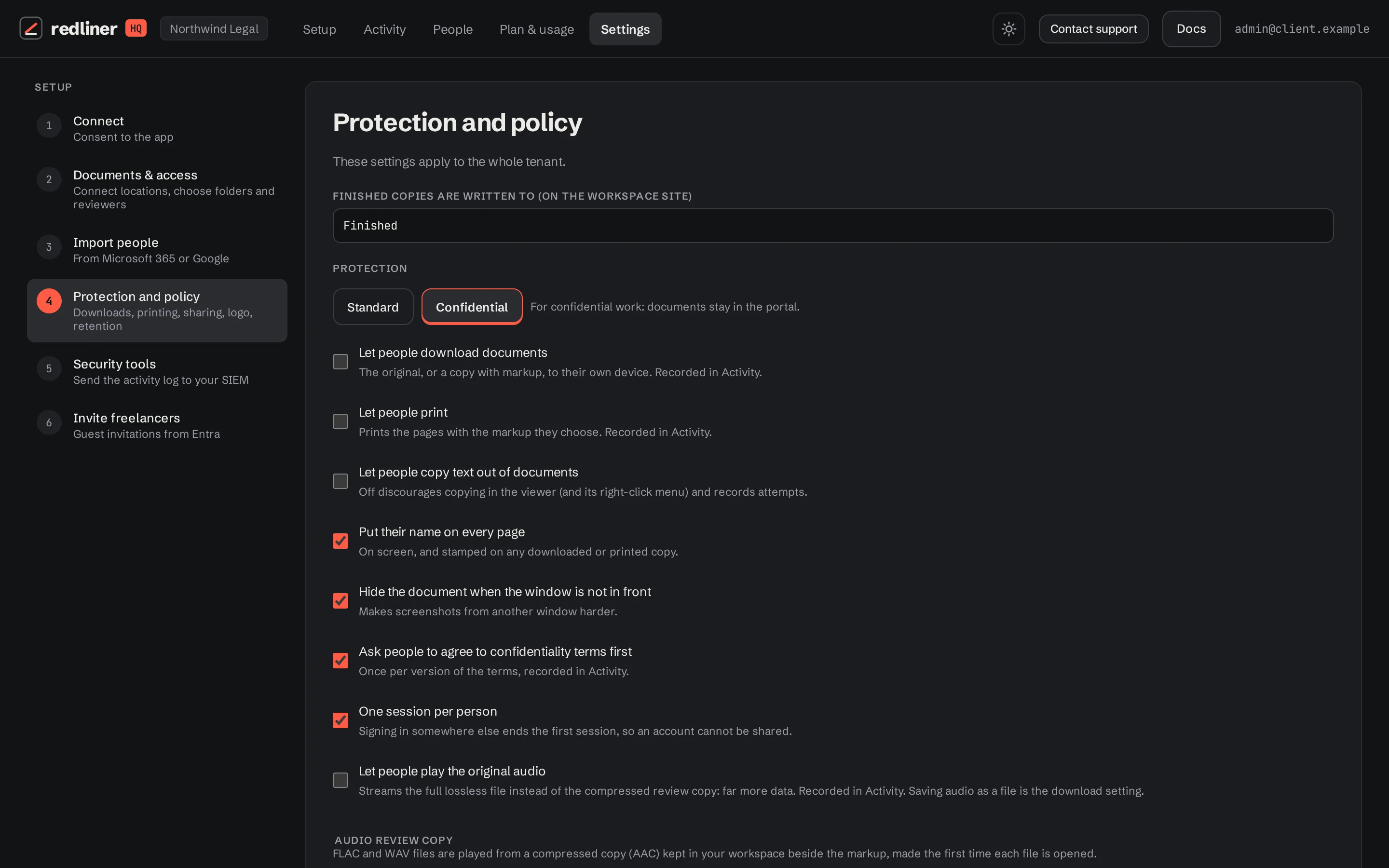
Review sharing and per-folder roles also affect the experience. Test your chosen settings with a reviewer account, not only an administrator account.
What these controls can protect
Controls can restrict actions offered through RedlinerHQ, show a person’s identity on content, and record supported events. They help discourage misuse and make a review process easier to follow.
They cannot stop someone photographing a screen, using an external recorder, copying a file they are allowed to download, or using separate permissions they already have in SharePoint or Drive. Manage those storage permissions in the storage provider as well.
The confidentiality acknowledgement records acceptance of the text your organisation sets. A browser acknowledgement does not itself establish that your wording is suitable for every engagement.
Review Activity
Open Activity to review supported events such as sign-ins, document opens, saved markup, exports, downloads, policy changes and access changes. Use the available filters and inspect flagged events when you need to follow up.
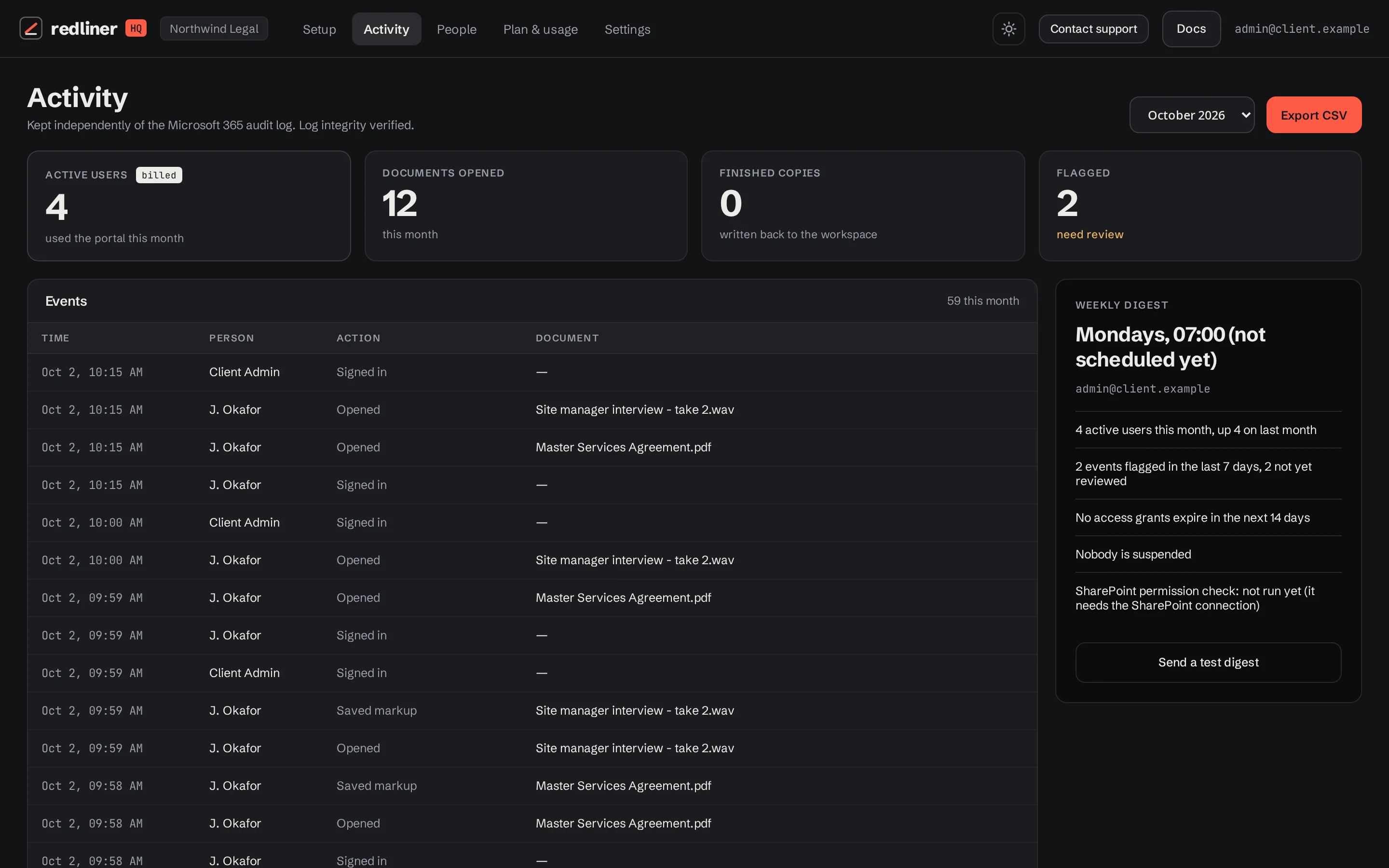
Use the CSV download when you need an offline record. Account for the retention settings shown in your workspace. Activity records portal events; it is not a record of everything done on someone’s device or directly in storage.
Finish an engagement
- Check that required reviews and permitted deliverables are saved.
- Remove direct and group assignments that should end, or suspend the person.
- Review any permissions the person holds directly in SharePoint or Drive.
- Retain or delete review material according to your organisation’s policy and agreed retention settings.
The Terms, Privacy Policy and DPA explain the service agreement and handling of data. These guides describe product use.
Keep going with another guide, or return to your review.
Browse all docs